
A good gaming bedroom lets you sleep well and play hard in one room. You get 24 gaming bedroom ideas, sorted by room size, budget, and who shares the space. They include small room layouts, renter fixes, and setups for kids and teens. Then we cover what most guides skip: safe power, glare, noise, heat, and wired internet. Every idea lists a cost, a time, and whether renters can do it. A price table and a short FAQ follow.
Quick answers
- Put sleep first. Keep the bed out of the screen’s glare.
- One 15 amp circuit holds about 1,440 watts of steady load.
- Plug a portable AC straight into the wall.
- Set the top of your monitor at or just below eye level.
- A full small room build starts around $500.
What a gaming bedroom needs first
The three decisions to make first
Decide layout, power, and sound before you buy anything. Layout sets where the bed and desk sit. Power decides what you can plug in. Sound decides whether the house can sleep.
Gaming room or gaming bedroom: what changes
A gaming room only has to feel good during play. A gaming bedroom must also work late at night. That means dim light, quiet fans, and a bed you can reach without tripping on cables.
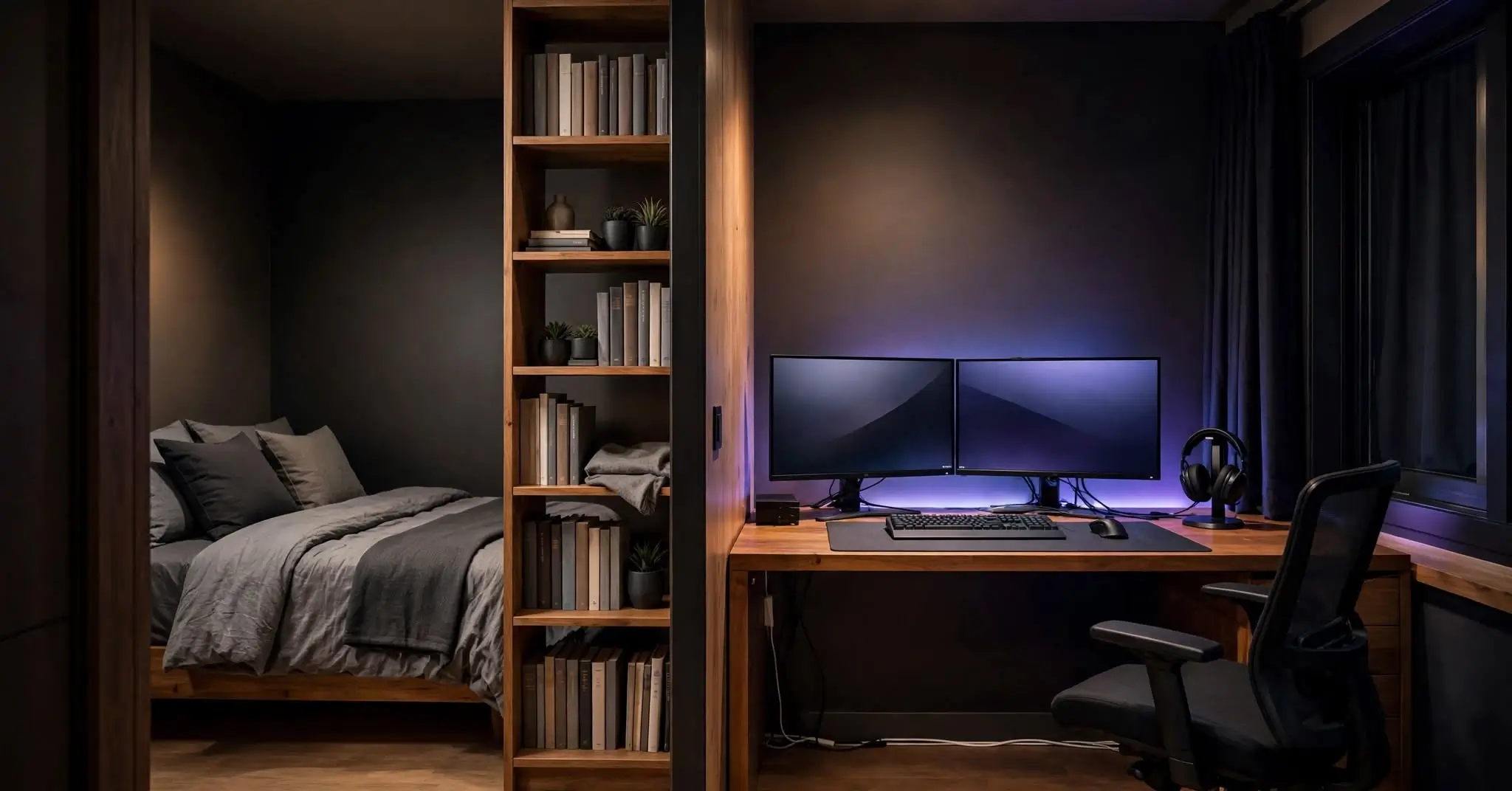
Sleep zone and play zone: how to split one room
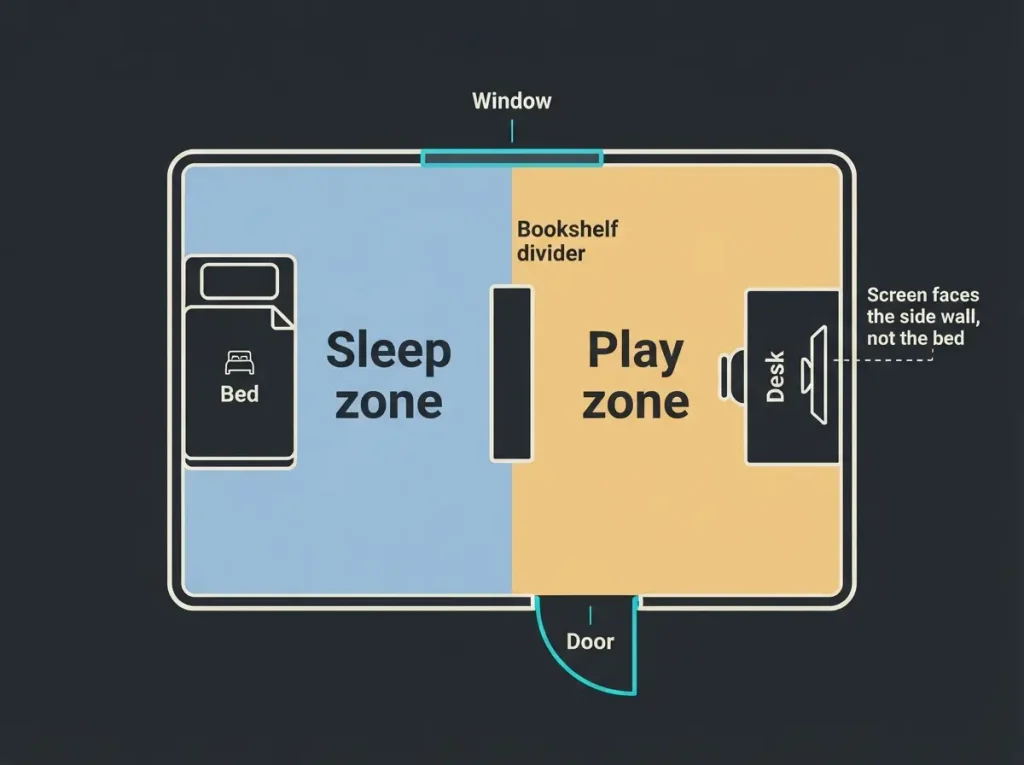
Put the bed on the wall farthest from the screen. Face the desk toward a side wall, not the bed. Use a bookshelf or curtain to cut the line of sight. The CDC lists 8 to 10 hours of sleep for teens ages 13 to 18.
Small gaming bedroom ideas
Small rooms need vertical space and furniture that does two jobs.
Loft bed with a desk underneath
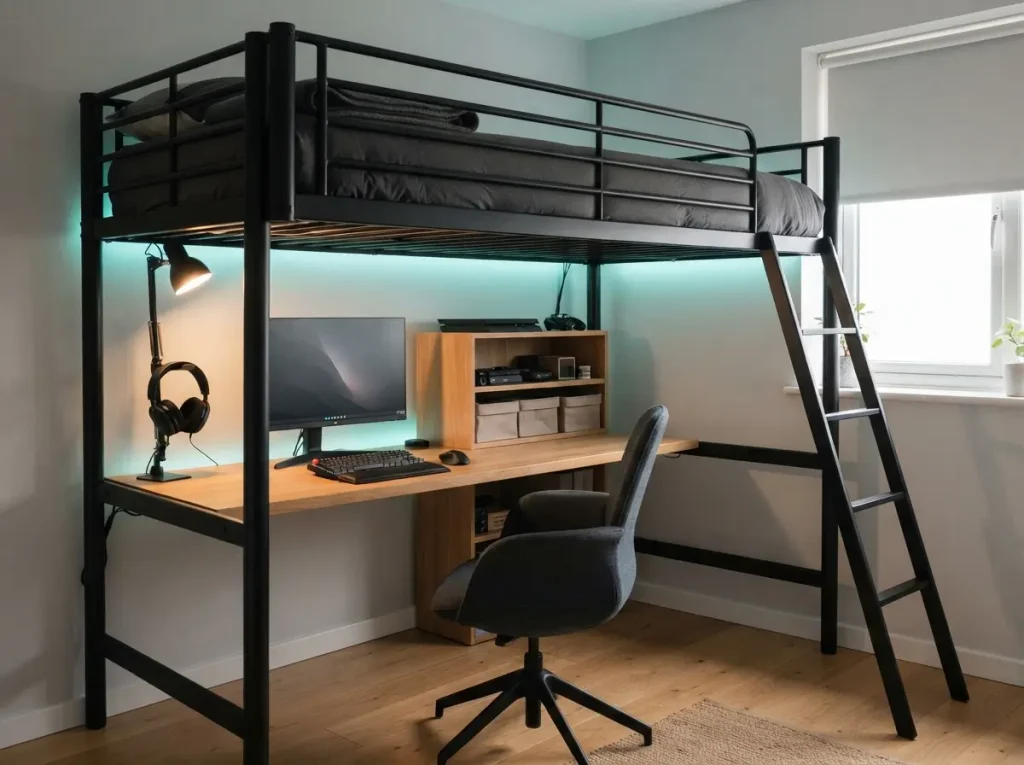
$300 to $800 | 1 day | renter safe
A loft bed frees the floor for a full desk and shelves. Guardrails should rise at least 5 inches above the mattress. Check the weight limit and anchor the frame to the wall.
Fold down wall desk
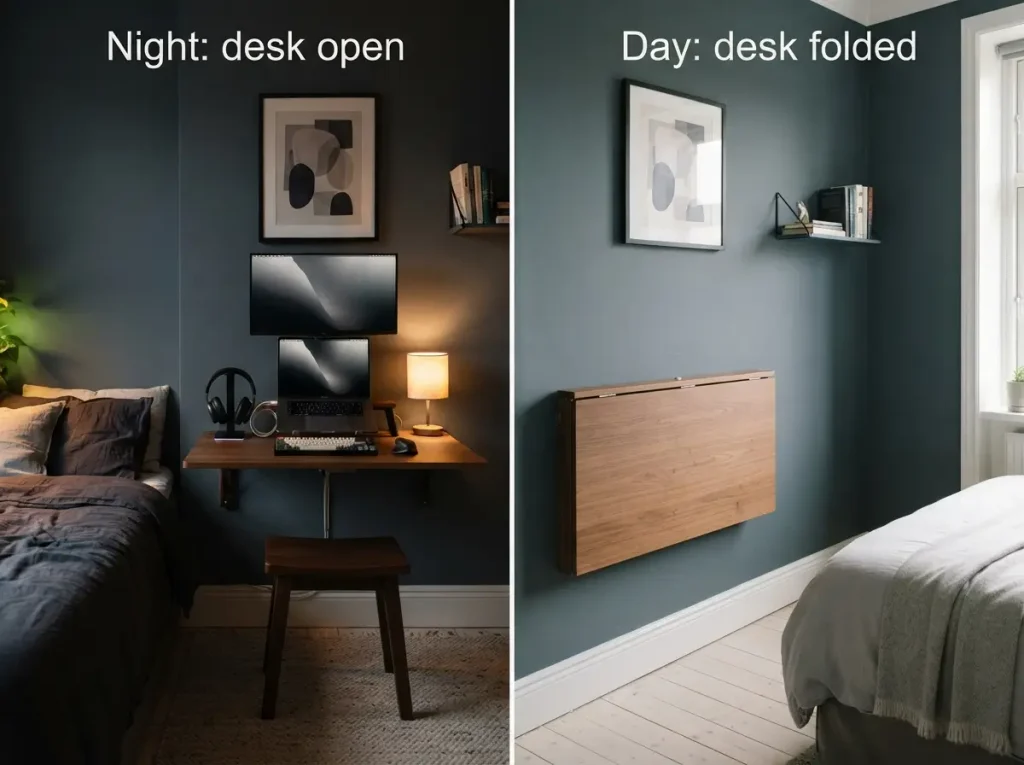
$60 to $200 | 2 hours | not renter safe
A fold down desk gives you play space at night and floor space by day. Screw it into wall studs, which often sit 16 inches apart. Drywall alone will not hold it.
Closet gaming nook
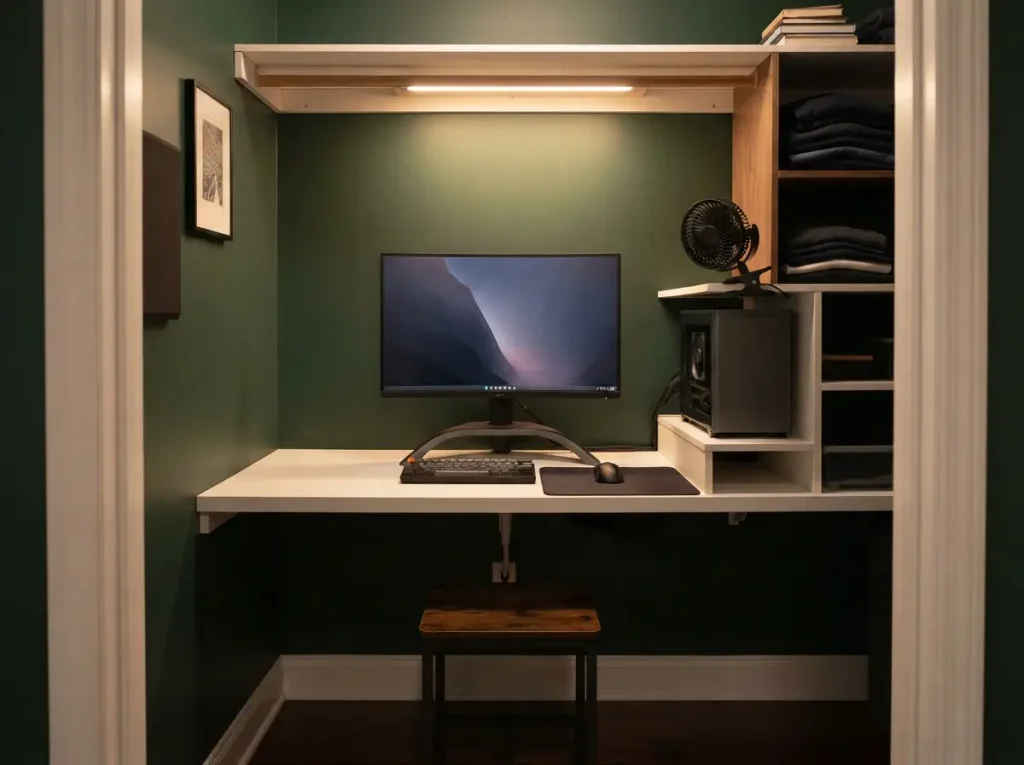
$80 to $250 | 3 hours | renter safe
Take the door off a walk in closet and slide in a narrow desk. Add a clip on fan, since closets trap heat. Keep clothes away from the PC.
Corner desk setup
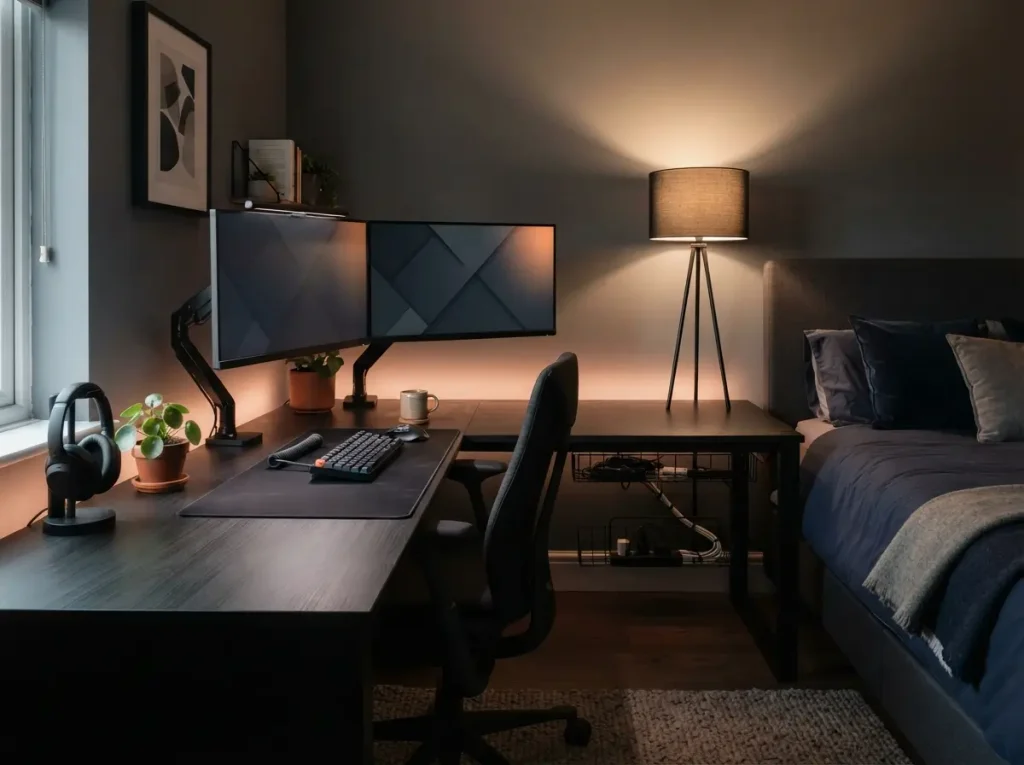
$120 to $350 | 2 hours | renter safe
A corner desk wraps two walls and holds two monitors without crowding the bed. OSHA notes that corners often give more desk depth than a straight desk.
Floating desk and wall TV for studios
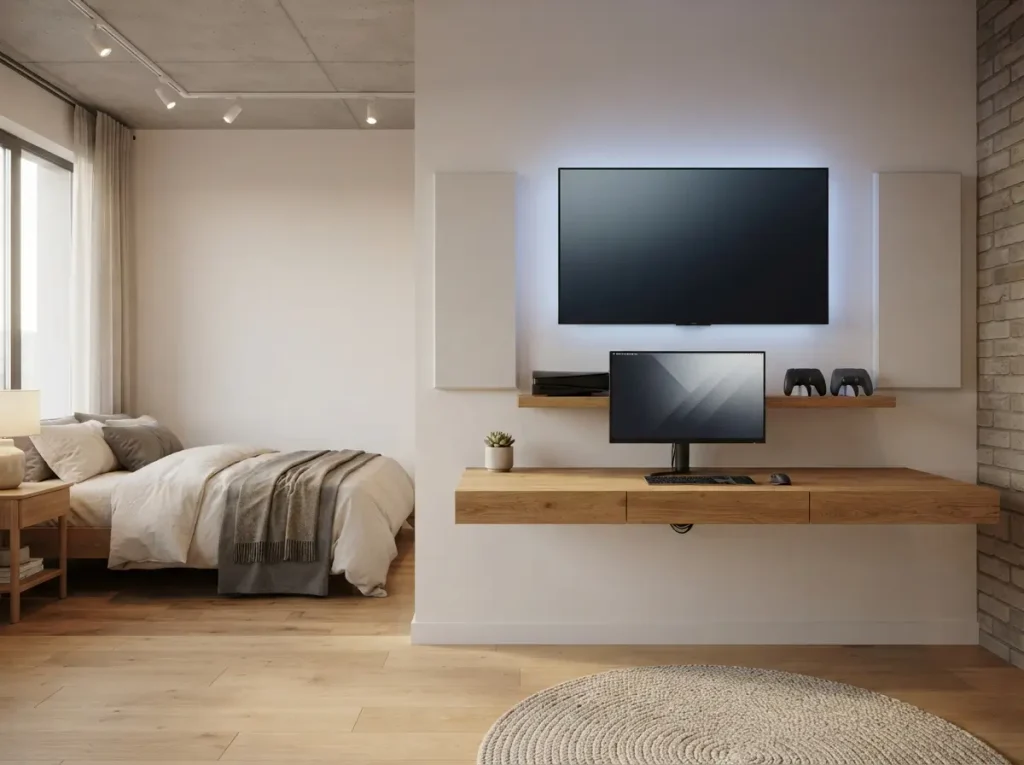
$200 to $600 | half a day | not renter safe
A floating desk and a wall mounted TV keep the floor open in a studio. Pair them with one console and a controller dock. Mount both on a solid wall.
Renter friendly setups without drilling
Removable LED strips and peel and stick panels
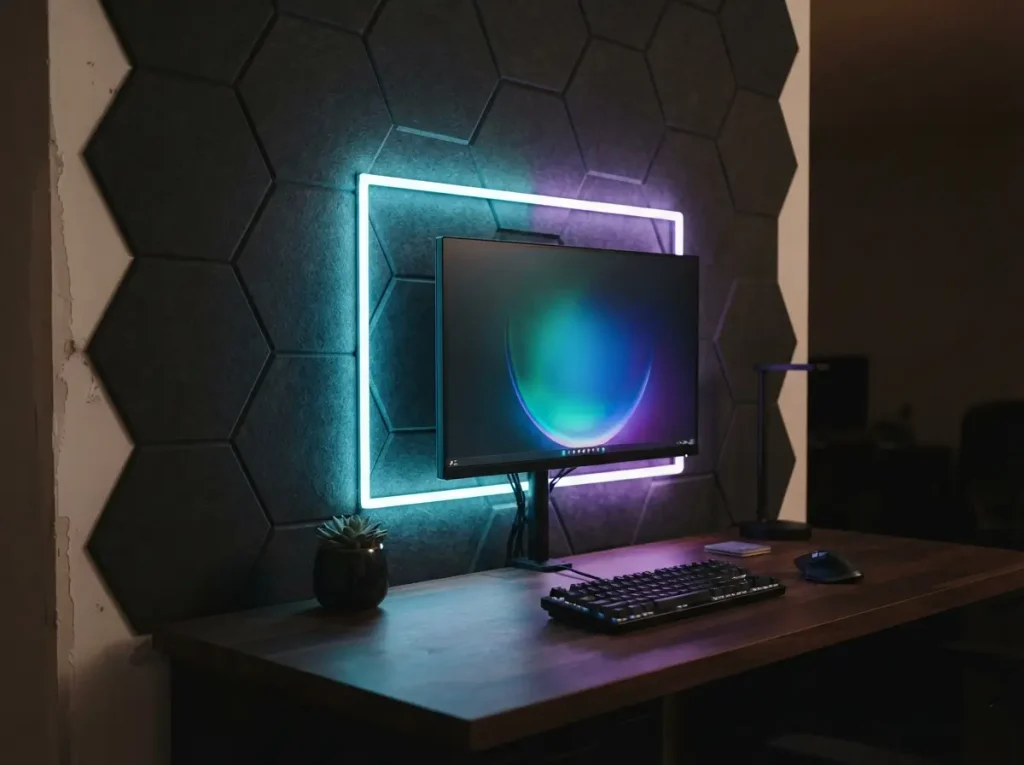
$30 to $120 | 2 hours | renter safe
Put adhesive LED strips behind the monitor and peel and stick panels on one wall. Clean the surface first and test a small spot. Heat can weaken the glue.
Bookshelf divider with freestanding acoustic panels
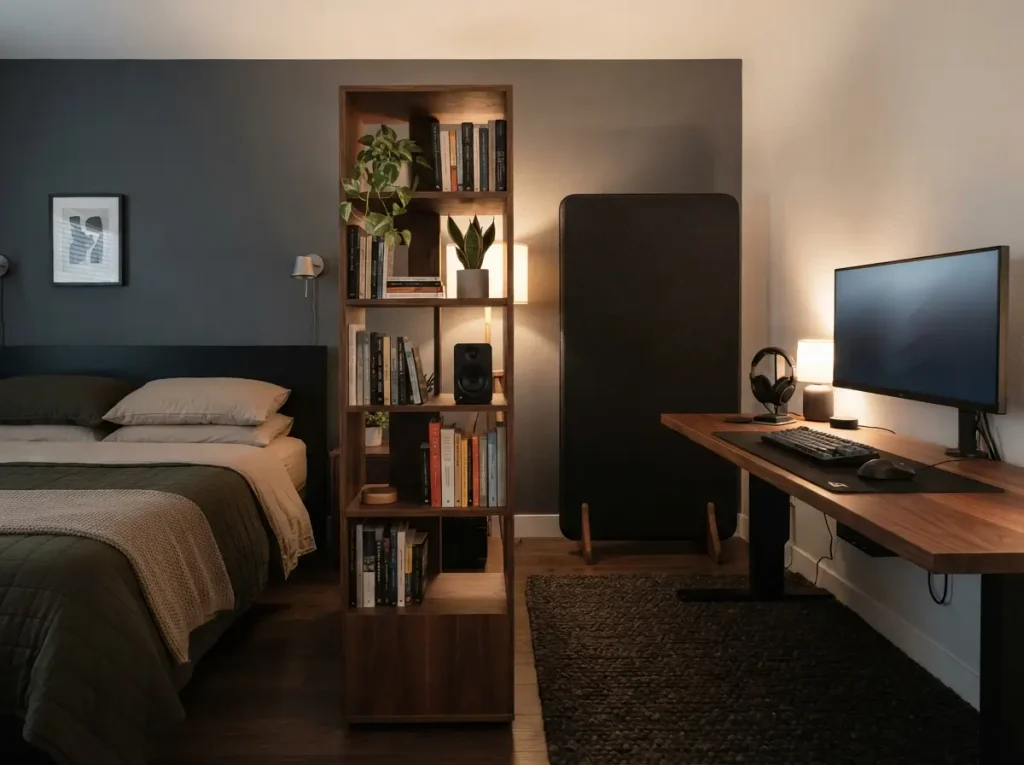
$120 to $400 | 1 hour | renter safe
A tall bookshelf splits the sleep zone from the play zone without screws. Set a freestanding acoustic panel behind the desk.
Dorm room gaming setup
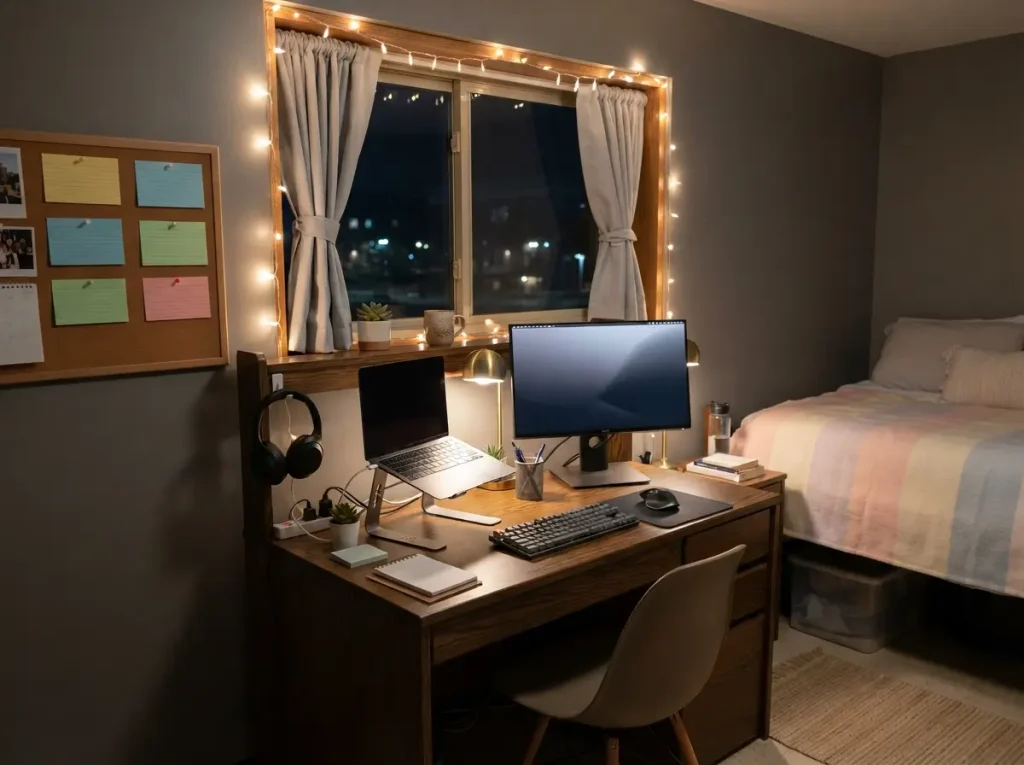
$150 to $500 | 2 hours | renter safe
Dorm rooms are small and shared. Use a laptop stand, one external monitor, and headphones. Read your housing rules on power strips and lights before you plug in.
Shared room setups
Couples split setup
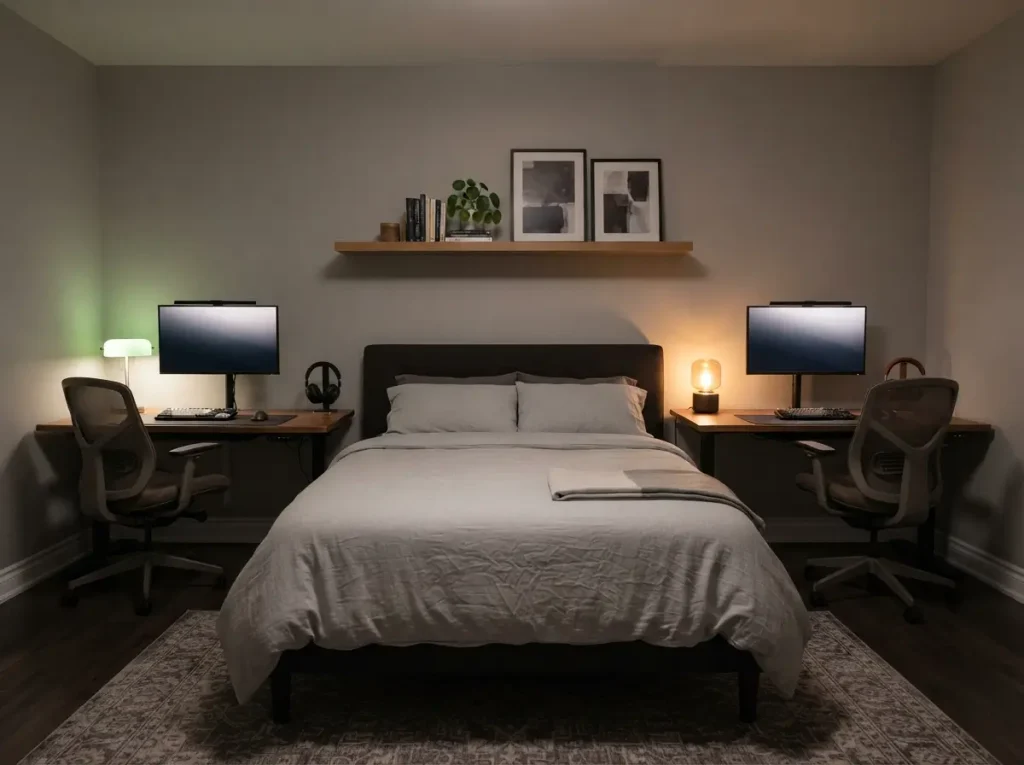
$300 to $900 | 1 day | renter safe
Give each person a desk on opposite walls with a shared shelf between them. Use headphones so late sessions do not wake the other person.
One desk for work and gaming
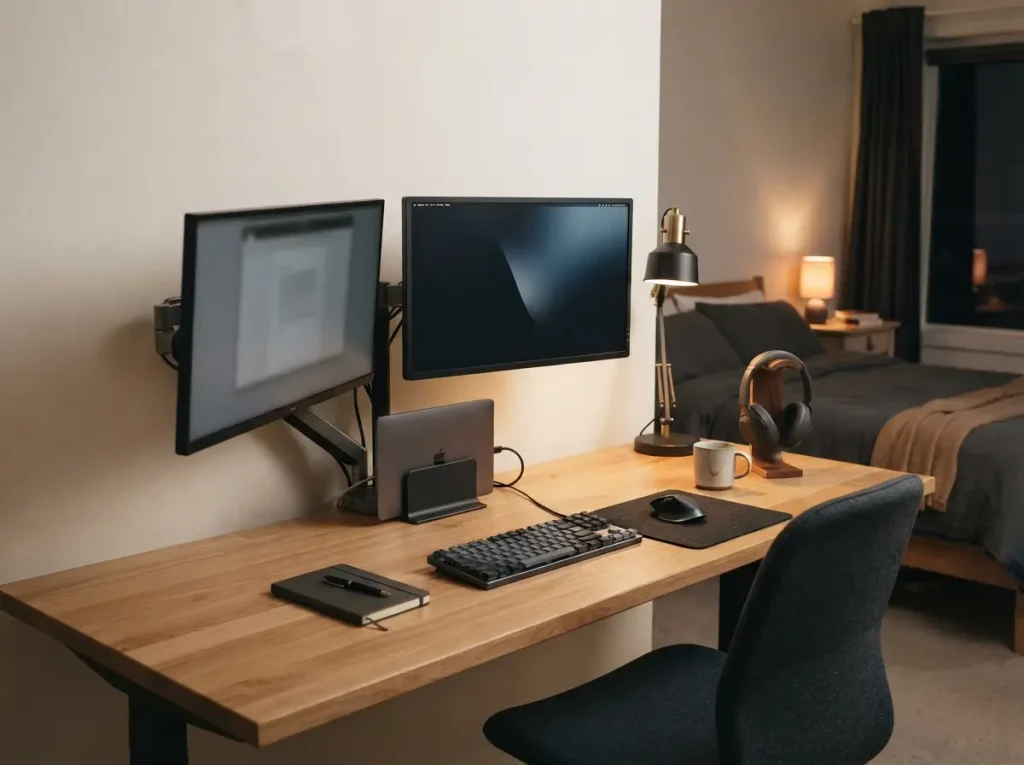
$250 to $700 | 3 hours | renter safe
Use one wide desk with a monitor arm on each side. Swing the work screen away at night. Keep the desk edge clear for your keyboard and mouse.
Two desk layout for siblings
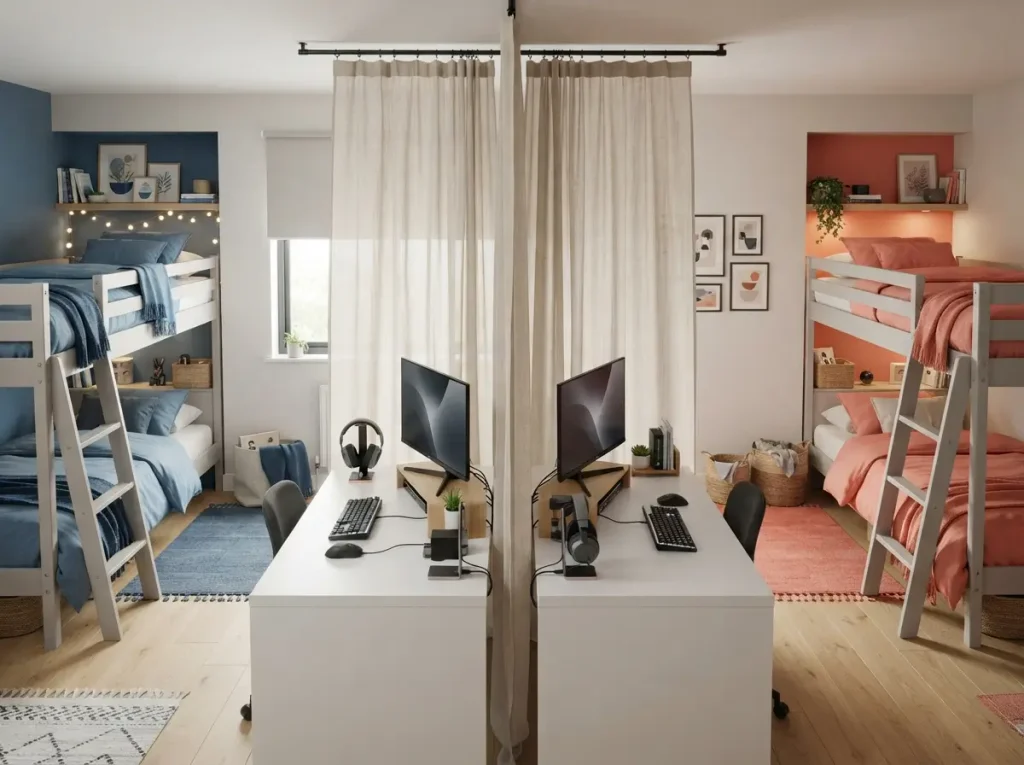
$200 to $600 | 3 hours | renter safe
Place desks back to back, not face to face. Hang a curtain between them for private screens. Give each kid a headset and a shelf for gear.
Gaming bedroom ideas for kids and teens
Parents need safe beds and clear screen rules. The American Academy of Pediatrics suggests screen free zones, including the time before bed, to improve sleep.
Teen bedroom with a built in gaming zone
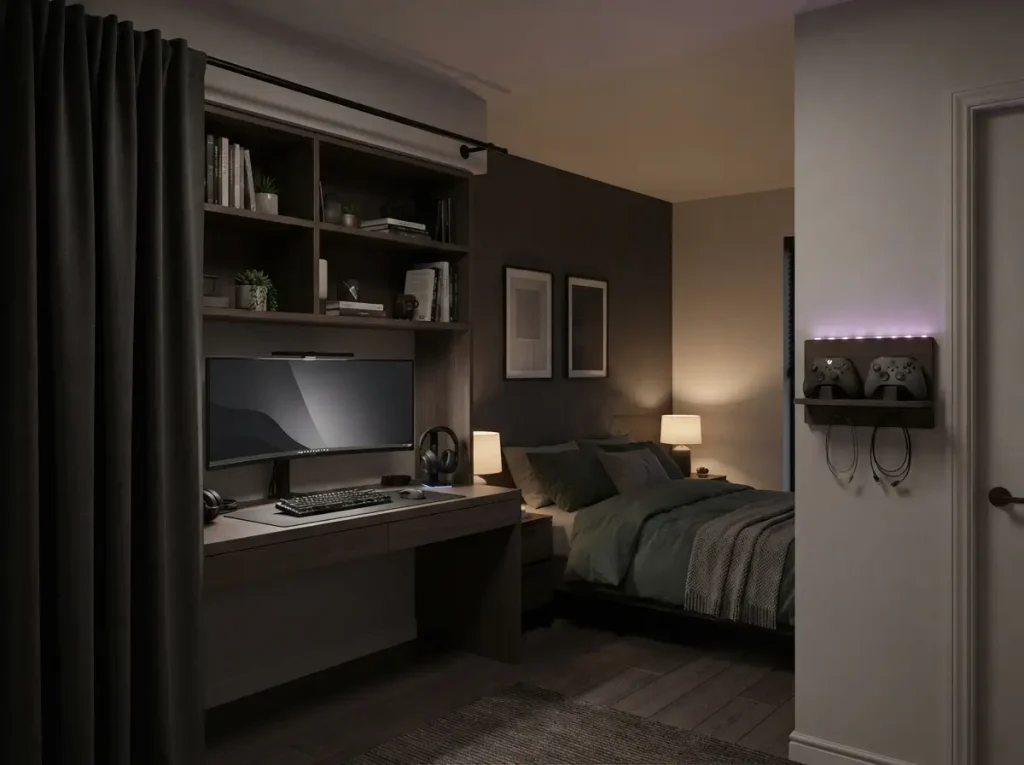
$300 to $1,000 | 1 day | renter safe
Build the gaming zone along one wall. Use a desk, a shelf, and a curtain you can close at bedtime. Put the bed on the far side. Charge controllers outside the sleep area.
Kids gaming corner with screen rules built in
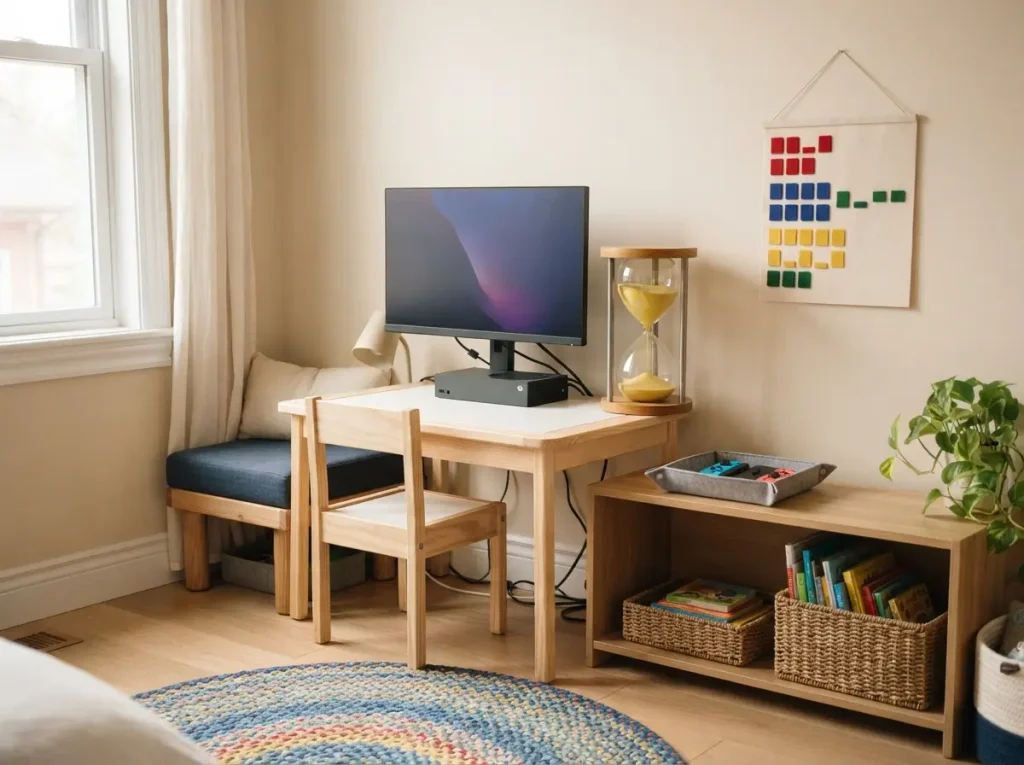
$150 to $450 | 3 hours | renter safe
Use a small desk, a visible timer, and one console. Write your rules into a family media plan. The AAP has an online planner.
Grown up teen room with hidden console storage
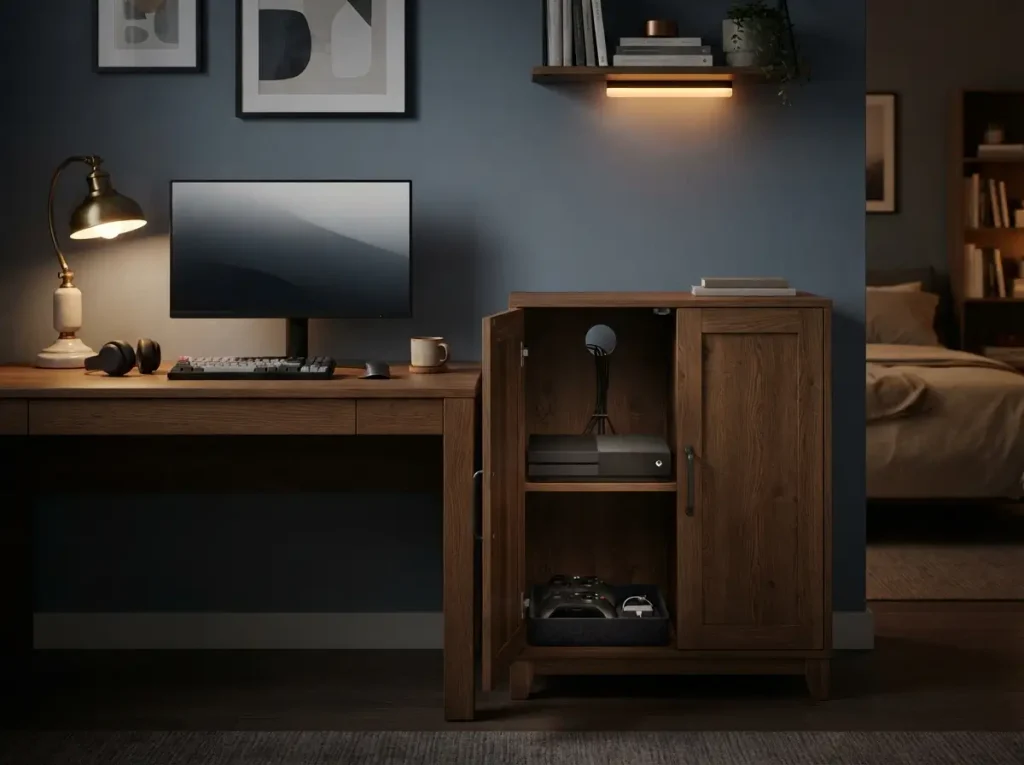
$150 to $500 | 2 hours | renter safe
Hide the console in a cabinet or storage bench. Leave a vent gap behind it for airflow. A closed cabinet keeps the room calm at night.
Theme ideas for a gaming bedroom
Pick a game or genre, not a general style. Bold color and DIY upgrades that suit any room fit better with cool bedroom ideas.
Neon cyberpunk
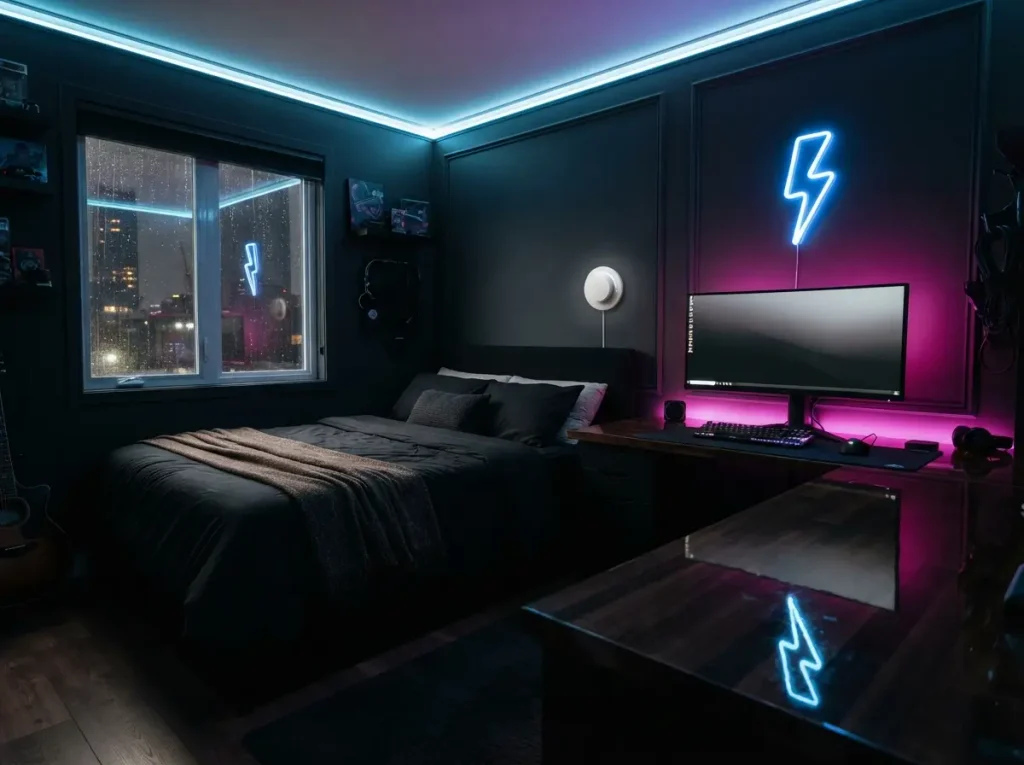
$50 to $200 | 3 hours | renter safe
Use dark bedding, blue and magenta LED strips, and one neon sign. Put the lights on a dimmer so the room can switch to sleep mode.
Retro arcade
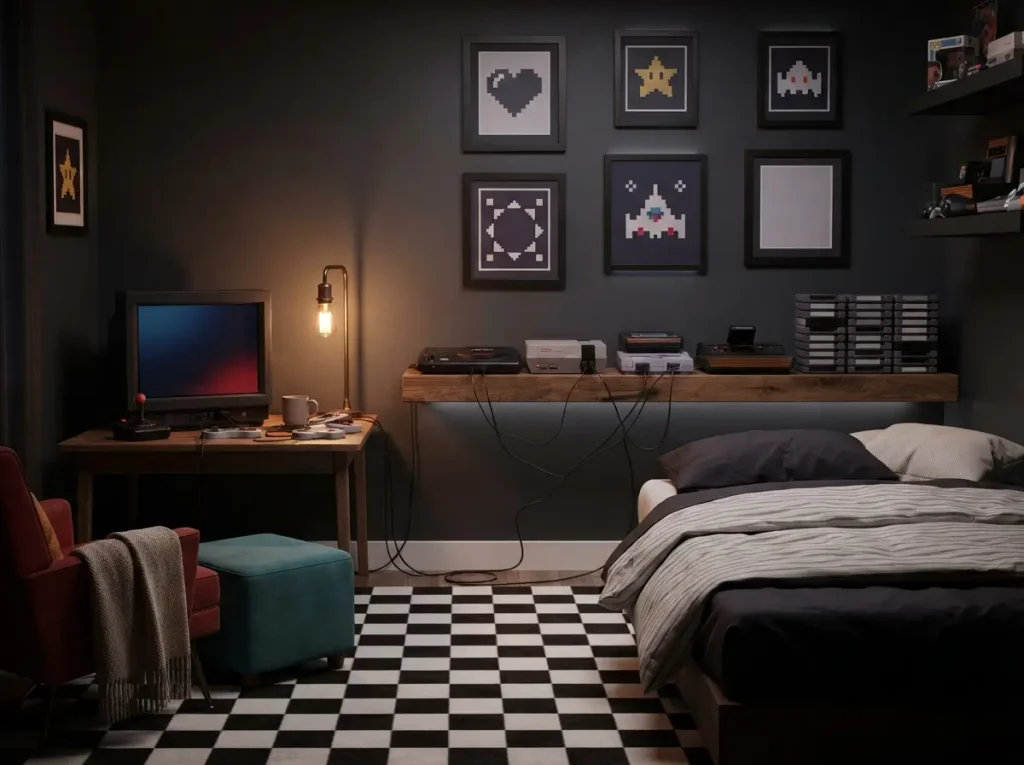
$60 to $250 | 3 hours | renter safe
Add framed pixel art, a retro lamp, and a shelf for old consoles. Warm bulbs make older games feel right at home.
Fantasy and tabletop RPG
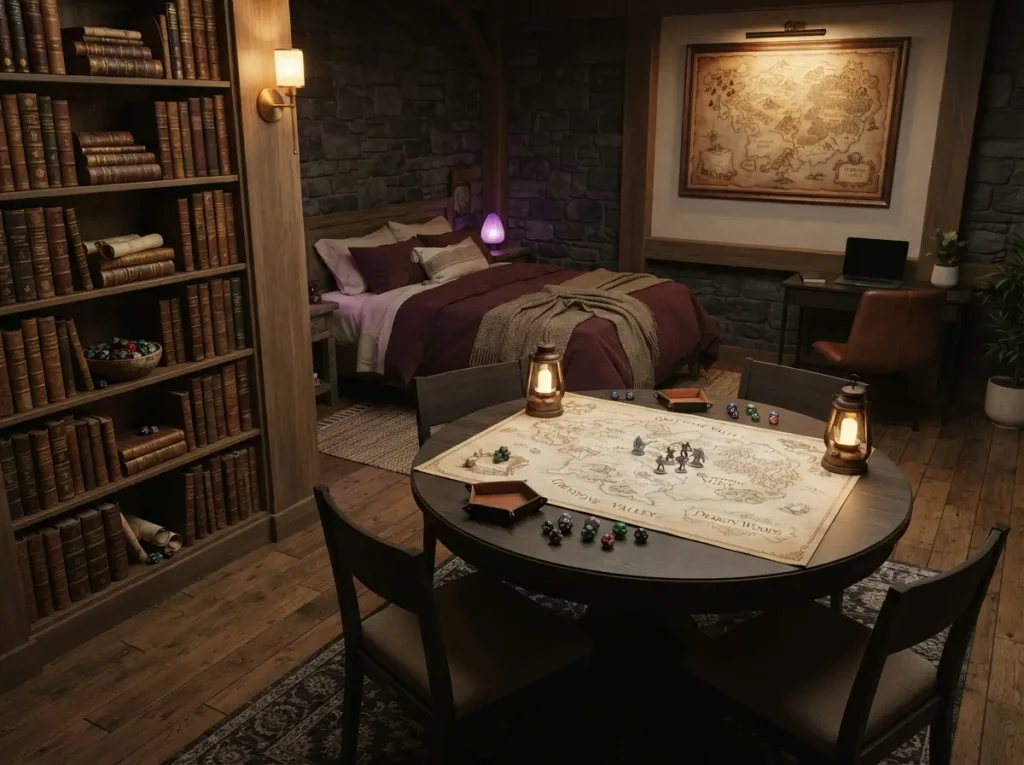
$100 to $500 | 1 day | renter safe
Leave floor space for a game table. Use warm lamps, map art, and a shelf for dice and books.
Sci fi space station
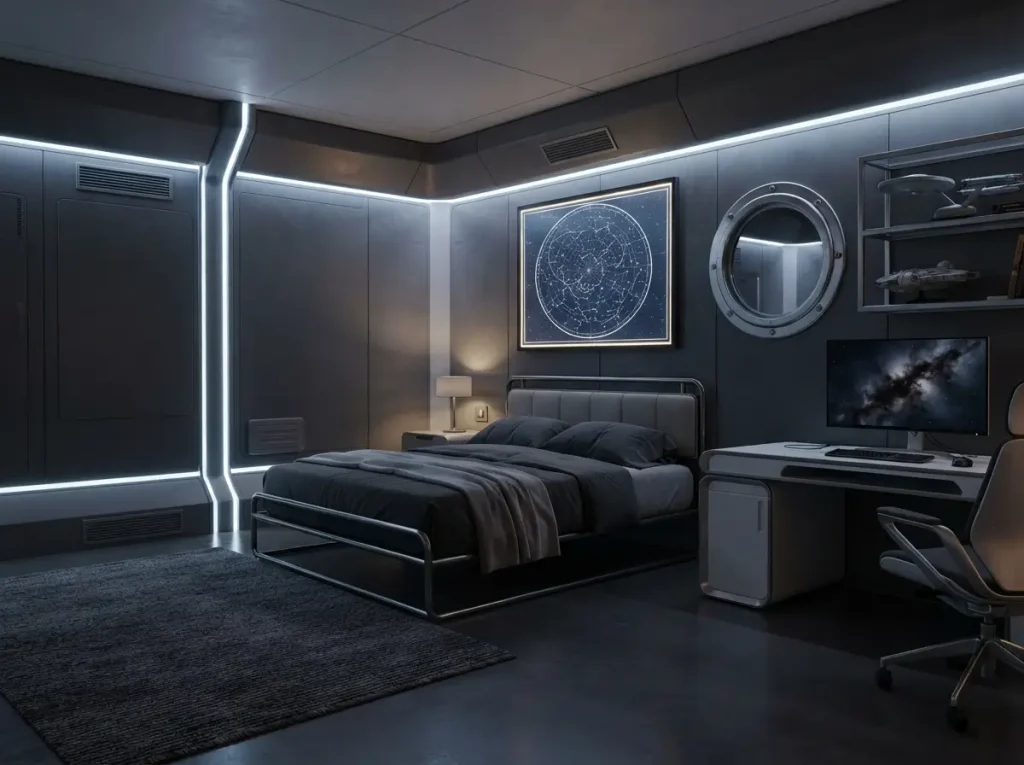
$80 to $300 | 3 hours | renter safe
Use cool white and blue lights, a dark rug, and metal look shelves. Hang a star map poster. Keep one dimmer for bedtime.
Esports team room
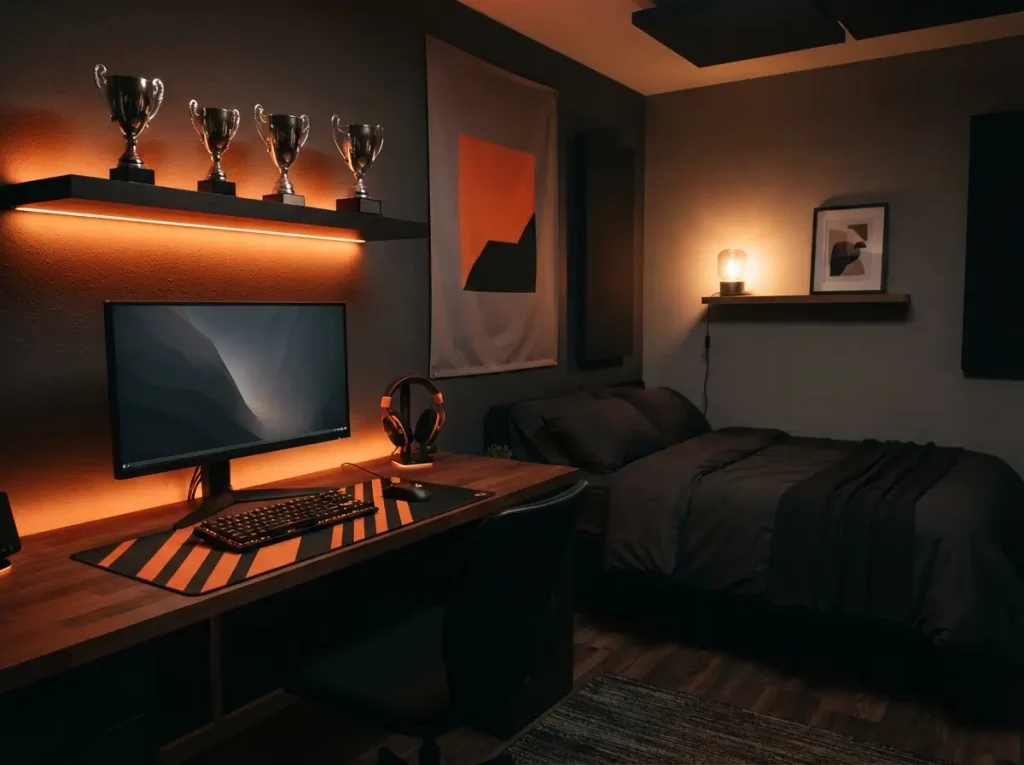
$150 to $500 | 3 hours | renter safe
Pick your team colors. Repeat them on the desk mat, the lights, and one banner. Add a shelf for trophies. Keep the bed side calm and dark.
Racing sim corner
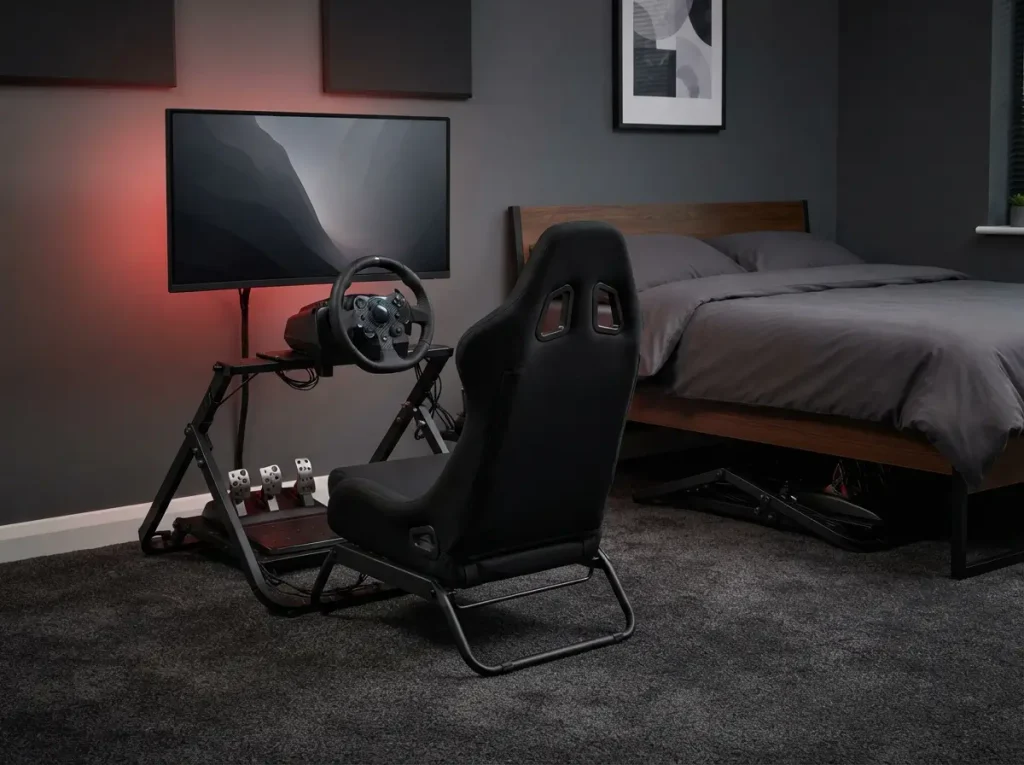
$300 to $1,200 | 3 hours | renter safe
A wheel and pedals need floor space and a firm mount. Use a foldable stand that slides under the bed. Place the screen at eye level.
Adult gaming bedroom ideas that look grown up
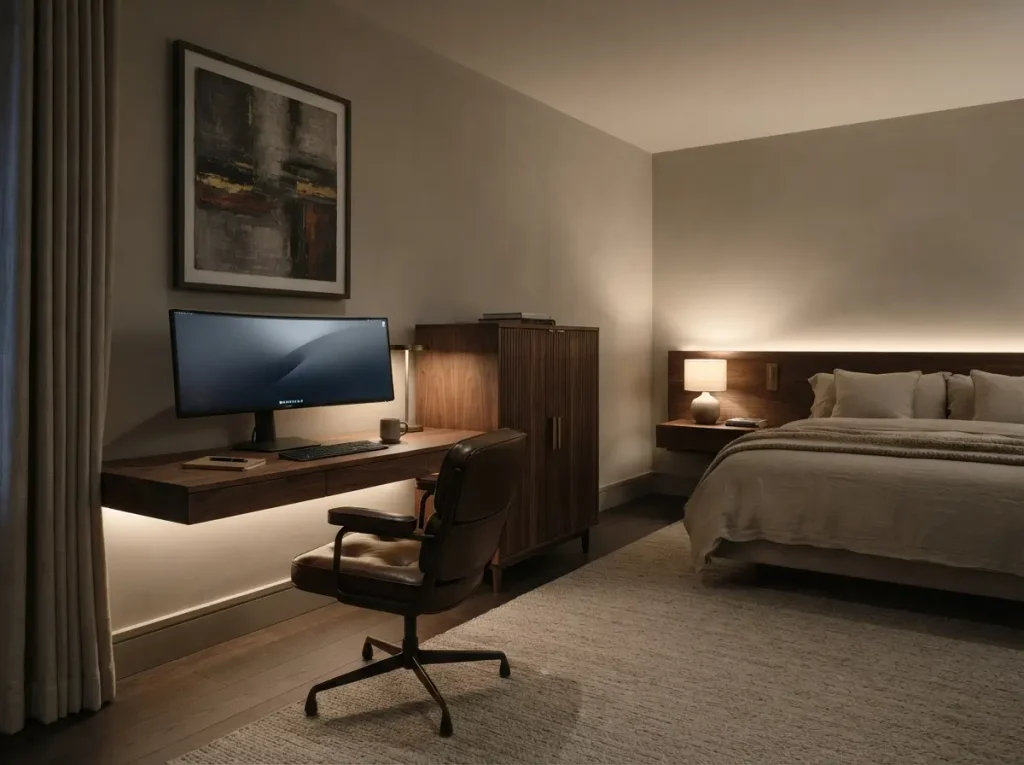
$400 to $1,200 | 1 day | renter safe
Keep the gear and drop the loud decor. Use a walnut desk, a wall lamp, and a closed cabinet for the console. Hang one large art piece above the desk. For a calm, hotel style version of this look, try dream bedroom ideas.
Streamer and big screen setups
Camera ready backdrop and mic setup
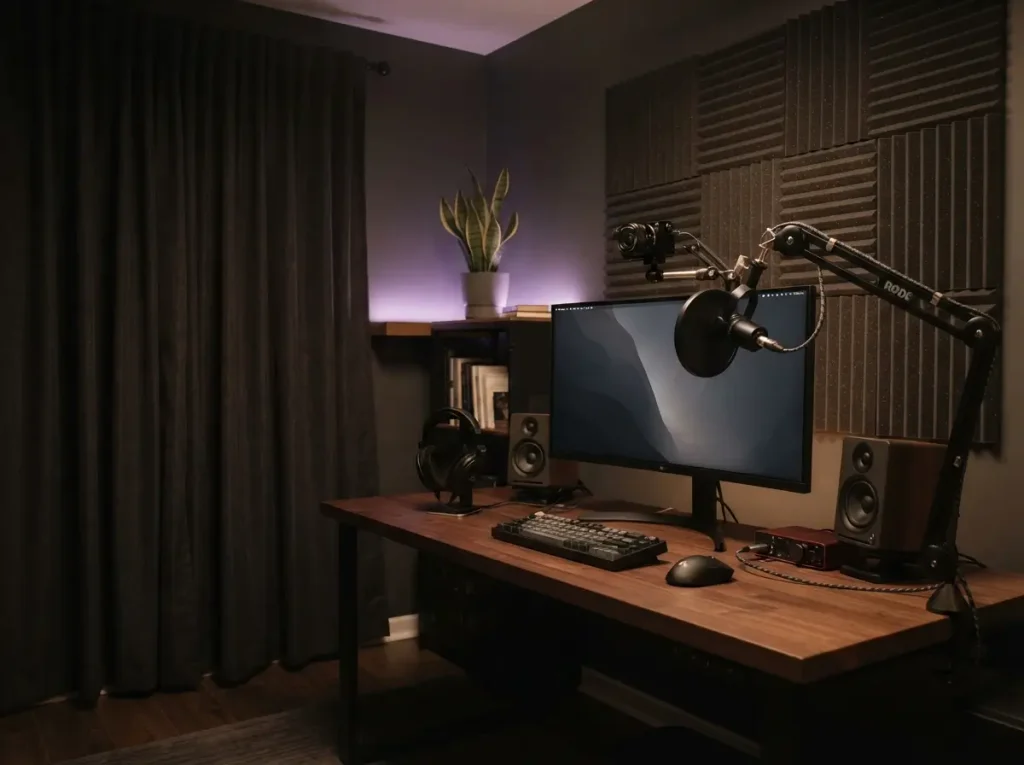
$120 to $500 | 3 hours | renter safe
Put the camera at eye level and light your face from the front. Hang a heavy curtain or foam panel behind the mic to cut echo.
Ultrawide or wall mounted TV
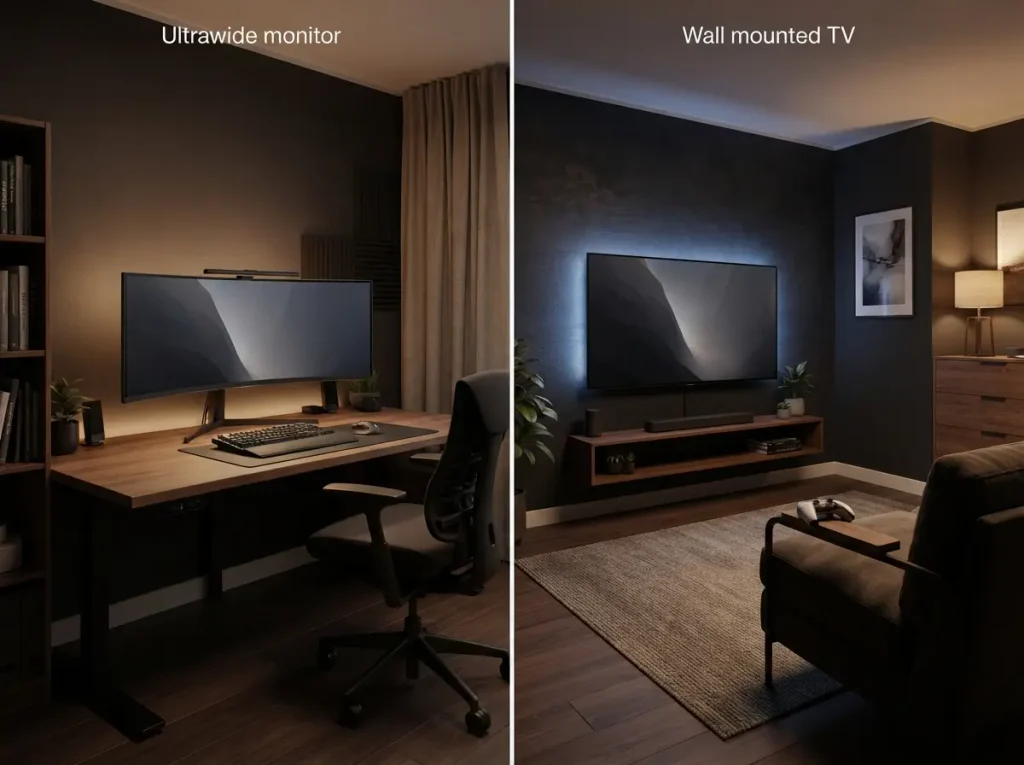
$350 to $1,000 | 3 hours | not renter safe
A 34 inch ultrawide fits most desks. A wall mounted TV suits console play from a chair across the room.
Projector wall
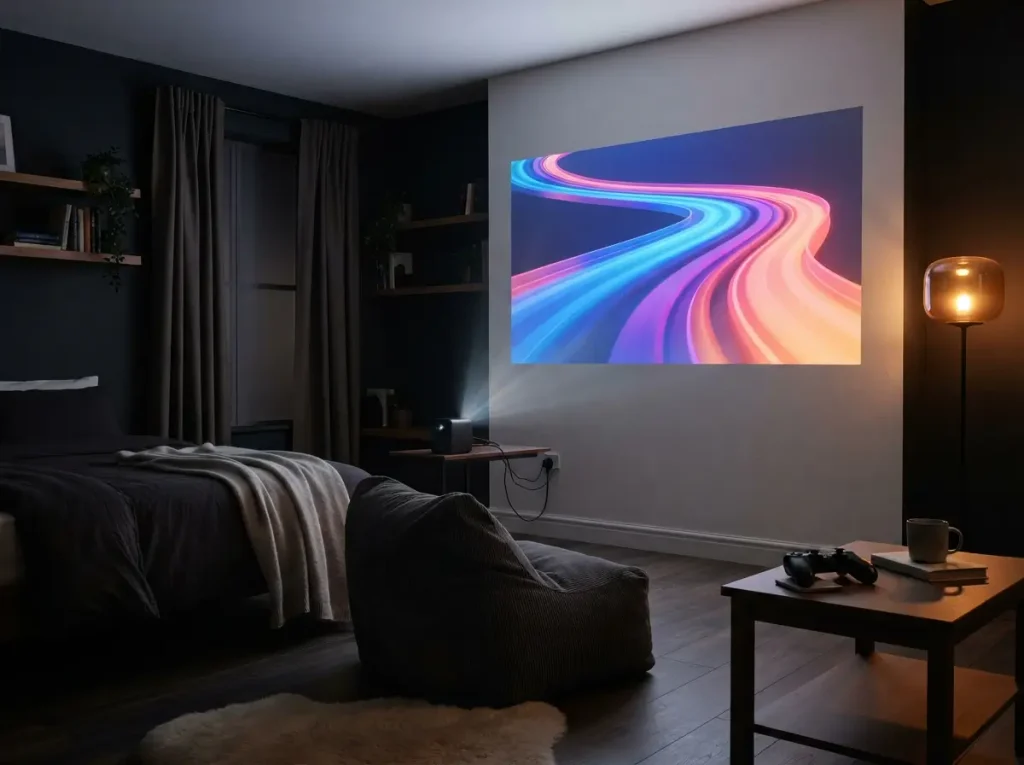
$300 to $900 | 2 hours | renter safe
A projector turns one blank wall into a game night screen. Use blackout curtains and measure the throw distance before you buy.
Layouts for 10×10, 12×12 and 10×14 ft rooms
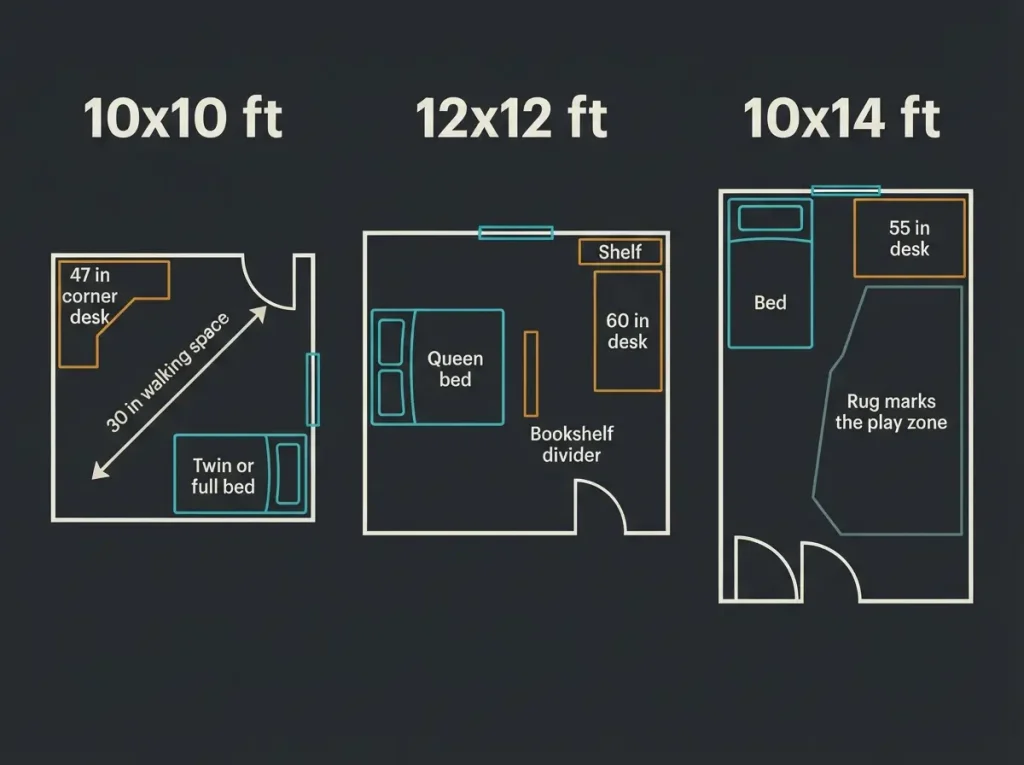
Most gaming bedroom ideas fail on layout first. Measure the room, mark the bed, then place the desk. For bed sizes and walkway clearances, bedroom ideas list every standard size.
10×10 ft layout
Put a twin or full bed in one corner. Add a 47 inch corner desk across from it. Leave at least 30 inches of walking space.
12×12 ft layout
A queen bed fits on one wall. A 60 inch desk fits on the side wall with a shelf above it. Add a bookshelf as a divider.
10×14 ft layout
Use the long room as two zones. Put the bed at one end and a 55 inch desk at the other. A rug marks the play zone.
Power first: how to wire a gaming bedroom safely
How many watts can one circuit handle
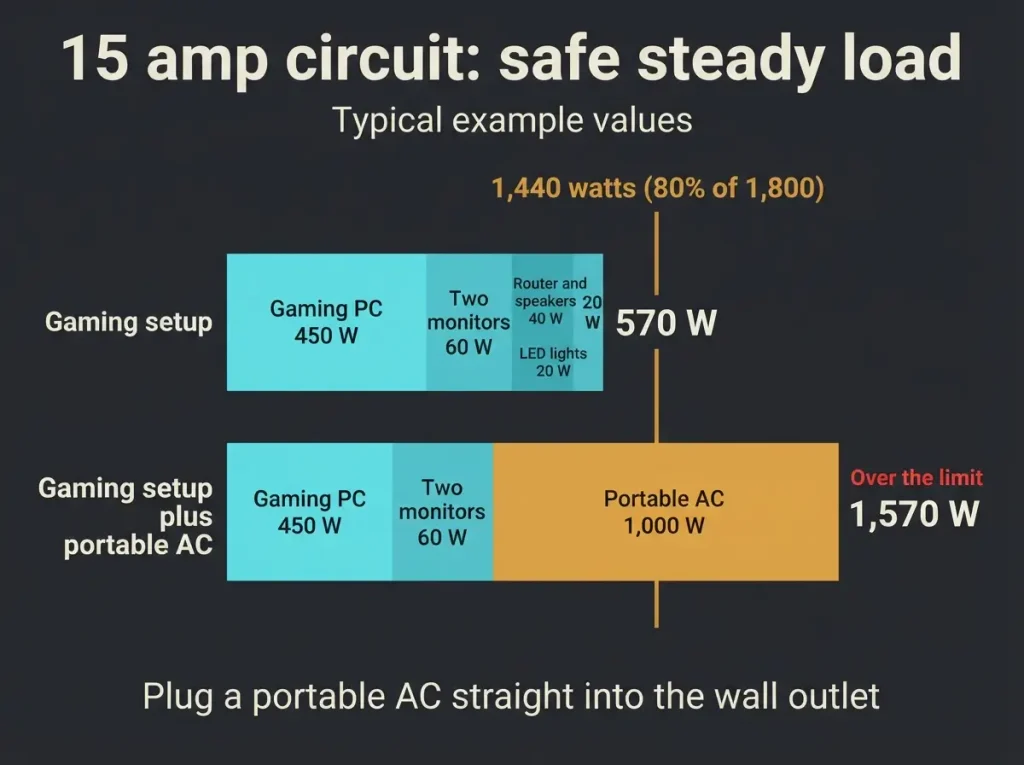
A standard 15 amp, 120 volt circuit tops out at 1,800 watts. Schneider Electric explains that the National Electrical Code caps steady loads at 80 percent of the breaker rating. On a 15 amp circuit, that is 1,440 watts. Add up the wattage on each device label. Check which other outlets share your breaker.
Power strip or surge protector
A basic power strip only adds outlets. A surge protector also blocks voltage spikes. The University of California risk office says to pick units with a built in breaker. Look for a UL or ETL listing too.
Why you should never daisy chain strips
Daisy chaining means plugging one strip into another. San Jose State’s safety office says it raises fire risk by overloading circuits. It also says high amp appliances belong in a wall outlet. A portable AC draws a lot, so treat it the same way.
When to call an electrician
Call a licensed electrician if a breaker trips, an outlet feels warm, or you need a new outlet. Local code and your lease may limit DIY work.
How to keep a gaming bedroom dark, quiet and cool
Cut glare with blackout curtains and matte paint
Close blackout curtains and set the monitor sideways to the window. OSHA advises placing monitors perpendicular to windows. Matte paint reflects less light than gloss.
Soundproof in steps
Start with a rug and heavy curtains. Seal door gaps with weatherstripping. Add acoustic panels to cut echo. Panels alone will not stop noise through walls, because that takes mass and sealed gaps.
Manage heat with airflow and a portable AC
A PC turns almost all its power into heat. Keep the tower off carpet and leave a few inches behind it. Try a fan before you buy a portable AC.
Lighting that will not wreck your sleep
Use warm white LEDs on a dimmer after sunset. Put a light strip behind the monitor so the screen is not the only bright spot. Keep bright, blue white light on the desk side only.
Desk, chair and monitor: the core gear
Pick a desk by room size
Use a 47 inch desk in a 10×10 room. Use 55 to 60 inches in bigger rooms. Leave 30 inches behind the chair.
Ergonomic chair basics
Pick a chair with adjustable height, armrests, and lumbar support. Keep your feet flat and your elbows near a right angle.
Monitor size, height and distance
OSHA suggests sitting 20 to 40 inches from the screen. Set the top of the screen at or slightly below eye level. The Ohio State Wexner Medical Center suggests a 20 second break every 20 minutes. Look at something 20 feet away.
Mount a monitor arm into studs
A desk clamp arm needs no wall work. A wall arm must hit studs, which often sit 16 inches apart. Match the mount to your monitor’s VESA hole pattern.
Console or PC: what changes in a bedroom
A console usually runs cooler and quieter than a gaming PC. A PC needs more outlets, airflow, and cable care. Choose based on the noise and power limits in your room.
Cable management, internet and storage
Hide cables with raceways and trays
Run cables through a cord cover along the baseboard. Add an under desk tray for the surge protector and power bricks. Label each plug.
Wired internet for lag free play
Run an Ethernet cable from the router when you can. Tuck it under the baseboard cord cover. If you cannot, try a powerline kit or a mesh node in the room. Wired links usually cut lag spikes in online matches.
Shelves, cube units and closet storage
Use cube shelves for consoles and controllers. Put collectibles on a display shelf anchored into studs. Store spare cables in a labeled bin.
Gaming wall ideas: art, panels and shelves
Slat and acoustic panel walls
A slat wall adds texture behind the desk. Mount panels behind your head to cut echo in voice chat. Renters can use freestanding panels.
Poster grid and shelf wall
Lay posters on the floor first and plan a grid with equal gaps. Add a narrow shelf for figures and a small speaker.
Hang gaming art without damage
Use removable hanging strips rated for the frame weight. Test one strip first. Wall color and general styling fit better with room decor ideas.
DIY gaming bedroom projects
DIY acoustic panels
$60 to $150 | 1 day | renter safe
Wrap mineral wool in fabric on a wood frame. Wear gloves and a mask when you cut it. Stand the panels on the floor beside the desk.
DIY monitor riser
$20 to $50 | 2 hours | renter safe
Build a low shelf from a wood board and two side blocks. It lifts the screen to eye level and hides the keyboard.
DIY LED backlight
$15 to $40 | 1 hour | renter safe
Stick a USB powered LED strip to the back of the monitor. It turns off with the PC.
How much a gaming bedroom costs
Under $100
Buy blackout curtains, a surge protector, and one LED strip. Add cord covers. This fixes light, power, and clutter first.
Around $500
Add a 47 inch desk, an ergonomic chair, and a monitor arm. Keep your current PC and monitor.
$1,500 and up
Add an ultrawide monitor, acoustic panels, a good chair, and storage. Hire an electrician if you need a new outlet.
| Item | Typical US price |
| LED strip | $15 to $40 |
| Blackout curtains | $25 to $80 |
| Surge protector | $15 to $50 |
| Monitor arm | $30 to $150 |
| Corner desk | $100 to $300 |
| Ergonomic chair | $150 to $500 |
| Acoustic panel set | $60 to $250 |
| Portable AC | $300 to $600 |
Splurge on the chair and desk. Save on LED strips and decor.
Gaming bedroom mistakes to avoid
- Putting the bed in line with the screen.
- Plugging a portable AC into a power strip.
- Skipping blackout curtains.
- Buying a desk before measuring.
- Using gloss paint behind the monitor.
- Hiding a hot console in a closed cabinet.
- Chaining power strips together.
Frequently Asked Questions
What is a gaming bedroom?
A gaming bedroom is a bedroom set up for play and sleep. It has a desk, a screen, and storage for gear. It also controls light, noise, and heat so the room still works for rest.
How do I set up a gaming bedroom on a small budget?
Start with light, power, and cables. Buy blackout curtains, a surge protector, and an LED strip for under $100. Add a desk and chair next. Keep your current screen until the room feels right.
How do I make a small gaming bedroom look good?
Pick one color plan and keep the desk wall tidy. Use a corner desk, hidden cables, and one shelf of display items. Warm, dimmable light makes a small room feel calm. Bedding and dresser styling are easier with bedroom decor ideas.
How do I soundproof a gaming bedroom cheaply?
Seal door gaps with weatherstripping first. Add a thick rug and heavy curtains next. Panels cut echo but do not stop sound moving through walls. That takes mass and sealed gaps.
Can one outlet power a gaming PC and two monitors?
Usually yes, if the total stays under your circuit limit. A 15 amp circuit holds about 1,440 watts of steady load. Add up the labels and check what else shares the breaker. Keep a portable AC on its own wall outlet.
Where should the bed go in a gaming bedroom?
Put the bed on the wall farthest from the screen, out of the monitor’s glare. Keep a clear path to the door. Use a bookshelf or curtain to split the sleep and play zones.
How do I keep a gaming bedroom from overheating?
Give the PC airflow and keep it off carpet. Run a fan across the room. Use blackout curtains to block afternoon sun. Plug a portable AC straight into a wall outlet if you need one.
Is it bad to game in the room where you sleep?
It can be, if screens run late. Follow the American Academy of Pediatrics advice on screen free time before bed. Teens need 8 to 10 hours of sleep, per the CDC. Split the room into zones, dim the lights, and set a device curfew.
How we priced these ideas
Prices are estimates of typical US retail ranges in October 2026. Check current prices before you buy. Local electrical codes always come first.
Final Thoughts
Start with light, power, and layout. Hang blackout curtains, swap in a surge protector, and move the bed away from the screen. Then pick two of these gaming bedroom ideas that fit your room size and budget. Build one this weekend and test it for a week. Adjust before you spend more.

About HomeFixStyle
HomeFixStyle is a home improvement blog dedicated to helping readers create better, more comfortable, and stylish homes. We share practical ideas, helpful guides, home decor inspiration, renovation tips, and simple solutions for everyday home projects. Our goal is to make home improvement easier to understand and apply, whether you are updating one room or improving your entire home.